
Android setup
Go Mode loads a compatible service’s existing web frontend and adds native voice, notifications, settings, and optional Halo glasses integration.
Build from source
The supported setup here builds the Android app from the Go Mode repository. Go Mode is a library and Android app; there is no gomode coding-agent CLI to install.
git clone https://github.com/maruel/gomode.git
cd gomode
make android-sdk
make android-push
make android-sdk checks or installs the SDK packages required by the project. make android-push runs Android checks, builds the app, and installs and launches it on the connected device. Enable USB debugging and authorize the device first; check it with adb devices.
For an emulator:
make android-start-emulator
make android-push
To build without installation:
make android-checkThe debug application ID is com.fghbuild.gomode. Build targets and prerequisites are maintained in the upstream Makefile.
Add your service
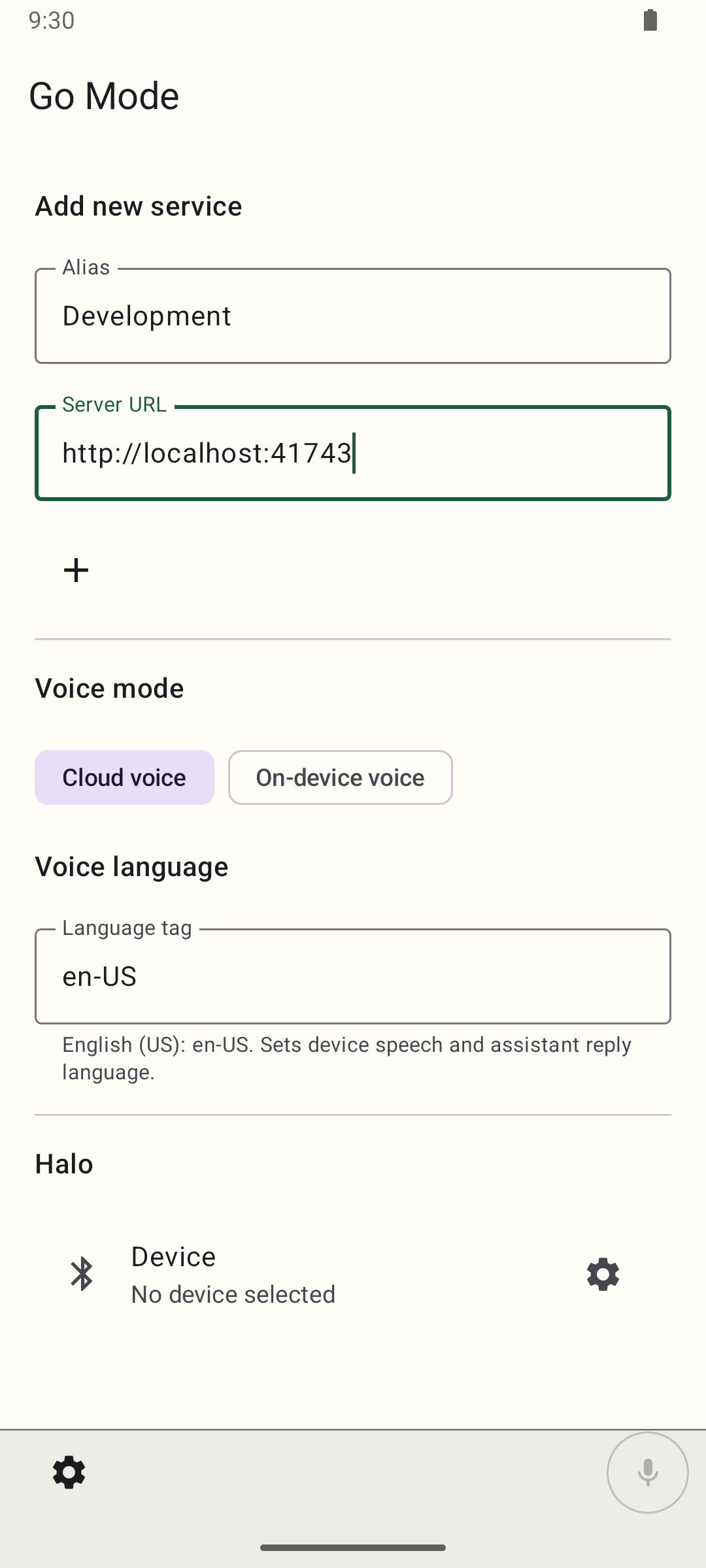
- Open Settings. On first use the new-service form is already open. With a saved service, use the add action in the Services list.
- Optionally enter an Alias, the name that tells saved services apart.
- Enter the host’s Server URL, including
https://orhttp://. Use HTTPS for deployed hosts; HTTP is supported for reachable local development services. - Tap the add action to create the service.
- Sign in through the host’s frontend when required.
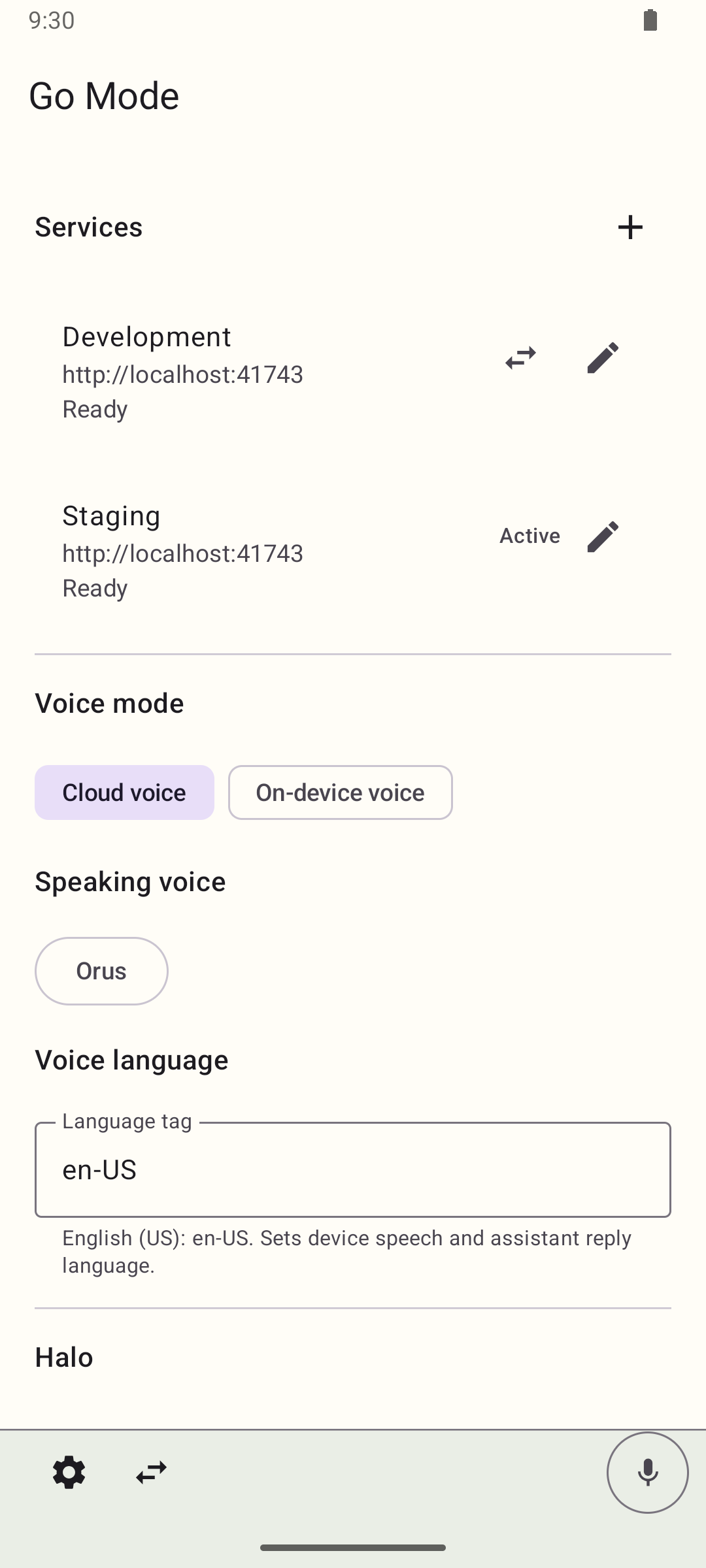
Saving an existing service is automatic, including when you leave the screen. A new service is created with the add action, and leaving the screen discards it. The Services list shows every saved service with its alias and URL. It also reports the current readiness of that service, any connection error, a retry action for a failed connection, Needs attention when the hosted page needs you, and Active for the service on screen. Use the swap action on another saved service to make it the active one.
The service URL must be reachable from the phone. A phone’s localhost means the phone, not your development machine. Use a reachable address or a private network such as Tailscale. Android emulator access to a host machine commonly uses 10.0.2.2; for local instrumented tests, the project runner configures adb reverse.
Choose how you speak
In native Settings, select Cloud voice or On-device voice, then set the voice language. Go Mode locks the mode and the language while a voice session connects or stays active.
Cloud voice
Cloud voice sends microphone audio over WebRTC and plays the audio the gateway returns. Settings lists the named choices your gateway advertises for audio, and each new session uses the choice you saved. When the selected choice advertises speaking voices, a Speaking voice list selects the voice you hear. Voice gateway covers how a gateway offers those choices.
On-device voice
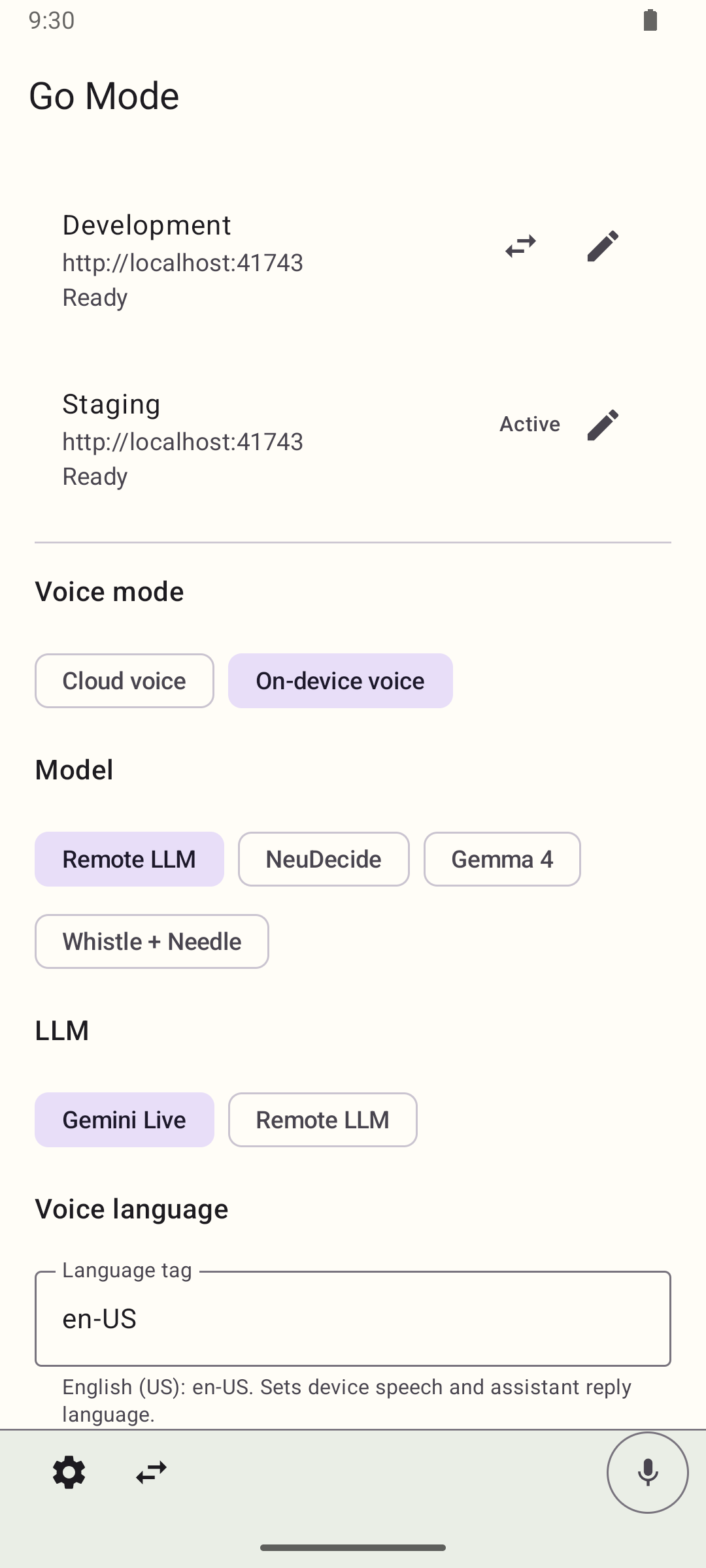
On-device voice uses Android recognition for speech and Android text to speech for replies. The Model choice decides what handles each turn:
- Remote LLM: the transcript goes to the gateway’s text session. The gateway supplies the language model and the device supplies speech. The LLM list selects a text-capable gateway choice.
- NeuDecide: an experimental engine that matches recognized speech to tool calls. Android still transcribes on the device, so the engine does not receive audio.
- Gemma 4: a LiteRT-LM conversational model that runs on the device. A Local model list selects which weights to load.
- Whistle + Needle: an experimental pair that matches recognized speech to tool actions, with matching biased toward the active tool names. It does not use a conversational language model.
Turns for the on-device models run on the device. Tool calls still reach the host through MCP.
On-device speech does not mean the whole conversation works offline. Recognition availability and processing depend on Android and the installed speech service, and both modes need a compatible host and gateway.
The voice language is a BCP 47 tag, en-US by default. It sets the device speech language and the language the assistant replies in.
Install local model weights
Gemma 4 and the local LFM models need weight files on the device. With the device connected, run:
make android-push-modelThe command downloads Gemma 4 E2B and E4B when they are missing and copies them to /data/local/tmp/llm/. It also copies local LFM exports that exist, and skips files the device already has. Go Mode checks its own files as well as that directory.
The local model choices are Gemma 4 E2B, Gemma 4 E4B, LFM 2.5 1.2B, and LFM 2.5 2.6B. Gemma 4 E2B is the default. Each choice loads its own file and Go Mode never substitutes a different variant, so a missing file fails with an error that names the model and asks for make android-push-model. End an active voice session before changing the model.
Gemma 4 tries Google Tensor first, then the GPU, then the CPU. LFM tries the GPU, then the CPU.
Use several services
Every ready saved service stays callable. Switching the visible service keeps one conversation, transport, transcript, and foreground notification.
When more than one service is saved, voice can list the saved services and switch between them. The same conversation continues with all ready services available. The Next app control beside Settings cycles saved services in their saved order and wraps to the first. It is available with voice active, idle, or unavailable, and appears once two services are saved.
hang_up ends the voice session. The experimental NeuDecide and Whistle + Needle engines do not offer the native voice commands.
Notifications
Allow notification permission when you want host alerts and background monitoring. The host publishes alerts through MCP and Go Mode handles native delivery.
Alerts are suppressed for the service visible in the foreground and during shared voice. Tapping an alert selects its saved service and opens the host destination, including from a cold start. Go Mode opens only HTTP(S) destinations on the saved service’s origin. The MCP and skills page defines the alert fields, destinations, reconciliation, and expiry.
Hosted page permissions
Hosted pages can request camera and microphone access. Go Mode asks for the Android runtime permissions that are still missing, then answers the page request. Captures stop when the page is hidden.
Hosted file inputs open the Android system document picker, which lists Screenshots, Downloads, and other document providers.
Halo
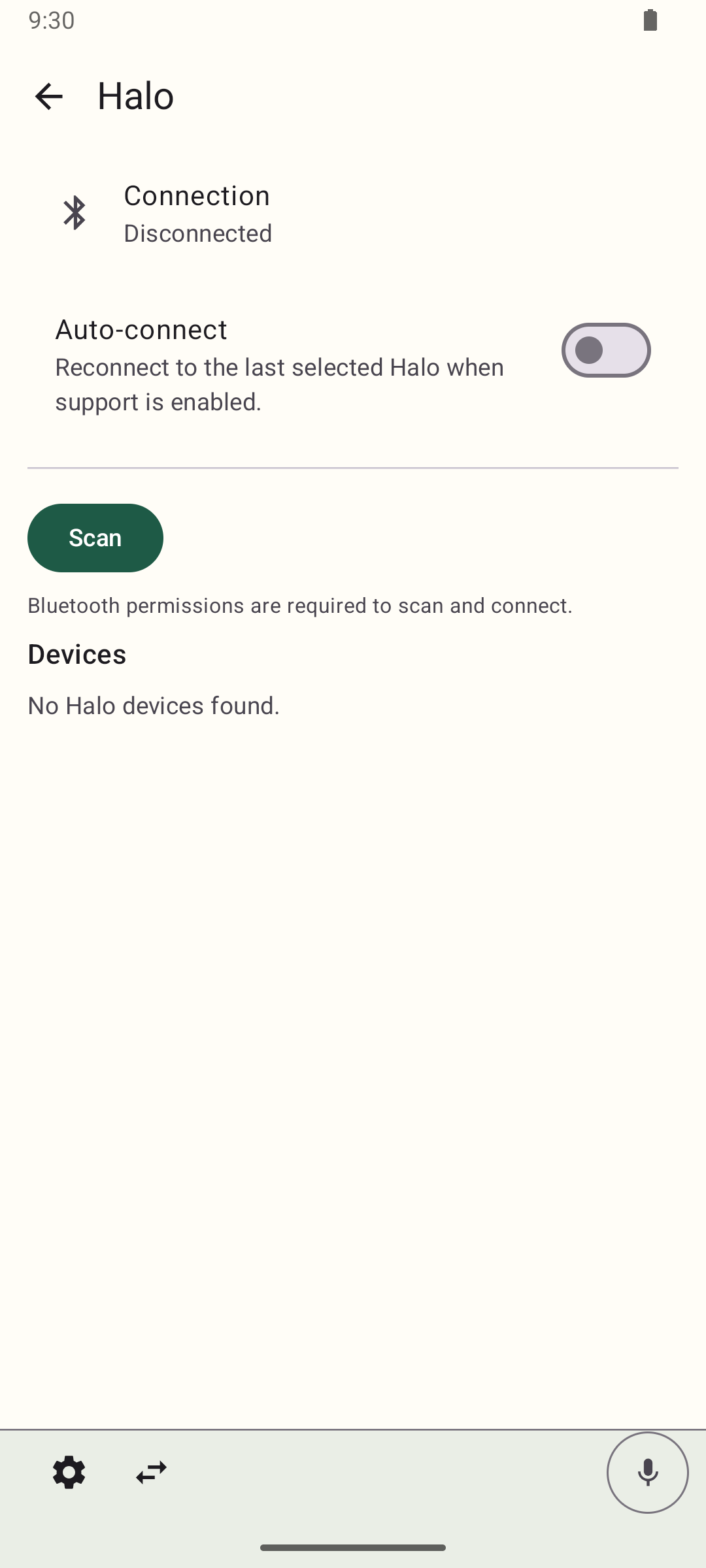
Halo settings connect optional Brilliant Labs Halo glasses. The emulator capture shows configuration, not a verified physical-device connection.
See Troubleshooting when the hosted page loads but native features remain unavailable.